

Server and data storage location
Select the geographic location of the servers and database for the user data. Data residency refers to the geographical location where data is stored. The location is usually important for regulatory or policy reasons. You can select the storage location of the data uploaded by your users. Go to Edit Sheets → Options → Privacy & Security section and select the location from the Server & Data Storage Location dropdown.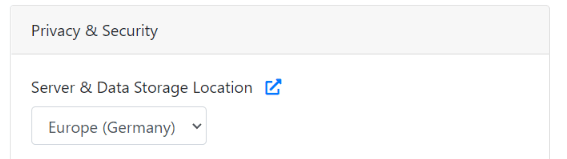
You also have the option to not store the data at all. See File delete policy.

Authorized domains
Run the importer on select domains only. Go to Edit Sheets → Options → Authorized Domains and provide a list of authorized domains/subdomains for embedding the importer. The embedded importer works on the whitelisted domains only.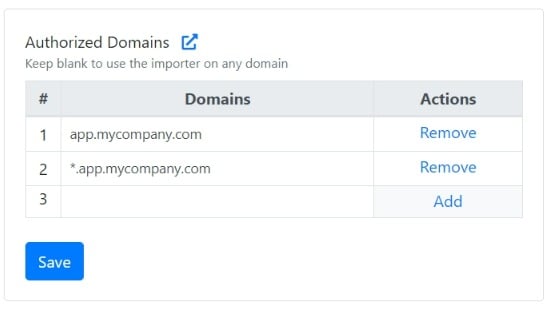
- If you don’t whitelist any domain, the importer embed works on all domains. This is the default configuration.
- You can use the
*wildcard prefix to include any subdomain. A few examples:
If a domain fails validation, the user sees an Unauthorized domain error instead of the importer.
Import links
Import Links let you accept files from your users without a website or an app. Create an import page in a few clicks and share the link with your users, with no code required. It’s an alternative to the import button that you set up by adding the integration code. You can turn the sheet’s import link on or off with the Import Links setting. If import links are deactivated, users see a File imports disabled message instead of the importer. To find the import link and add custom user attributes to it, see Code Snippet.File delete policy
Manage user data storage in CSVbox. Enable or disable the storage of user-uploaded data in CSVbox. You can decide based on privacy preferences or specific sheet requirements.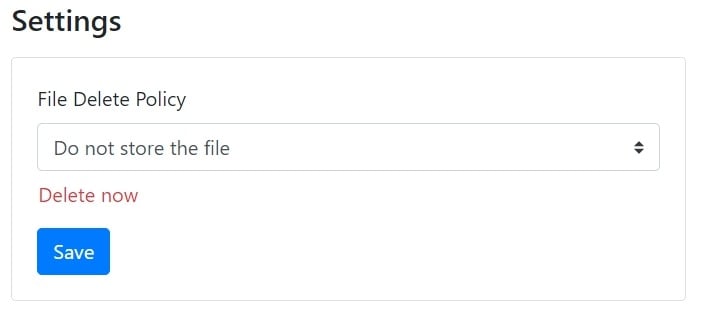
- Do not store the file: When enabled, user-uploaded data isn’t stored in the CSVbox datastore.
- Store data: Data is stored on CSVbox storage and auto-deleted after one month.
To keep user data off CSVbox servers and data stores entirely, see Private Mode.