

1
Select PostgreSQL as the destination
Select PostgreSQL as the destination type.
2
Connect your database
Connect your PostgreSQL database by providing the credentials.
3
Set the target table
Specify the table name where you want the data to be pushed.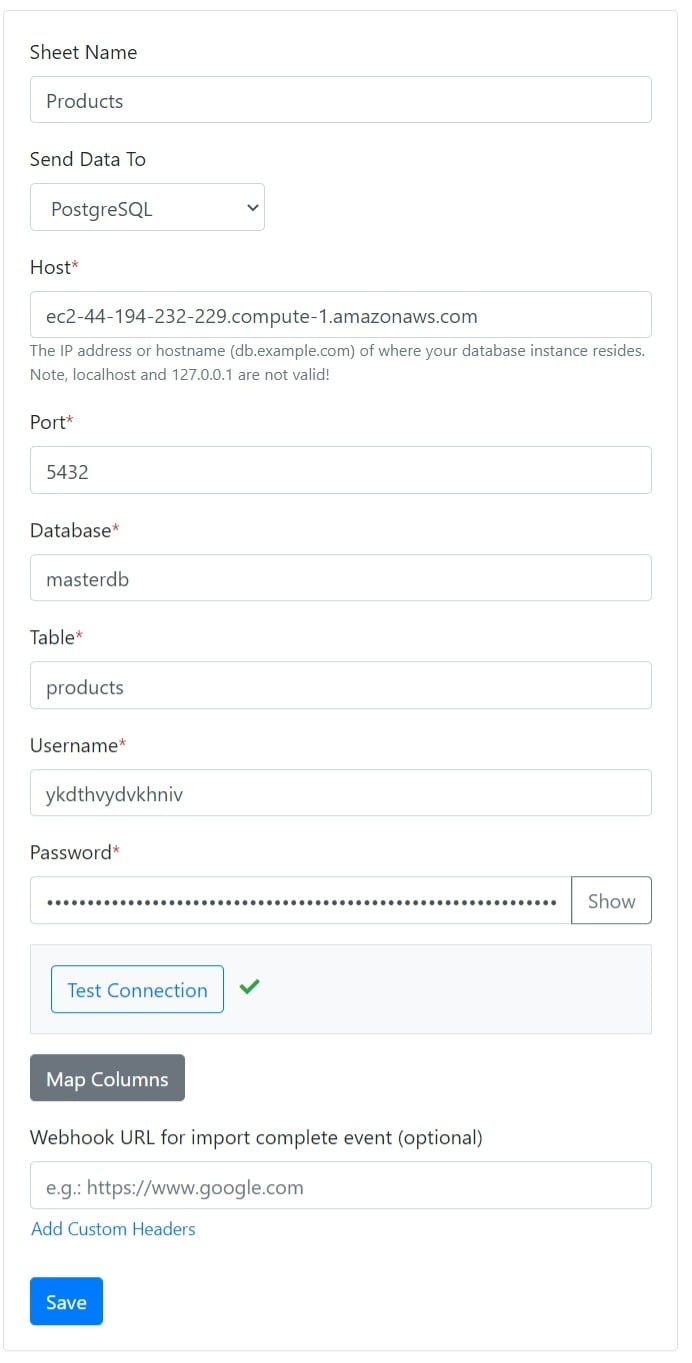
4
Map columns
Map the sheet columns to the table columns. You can also map custom attributes to table columns.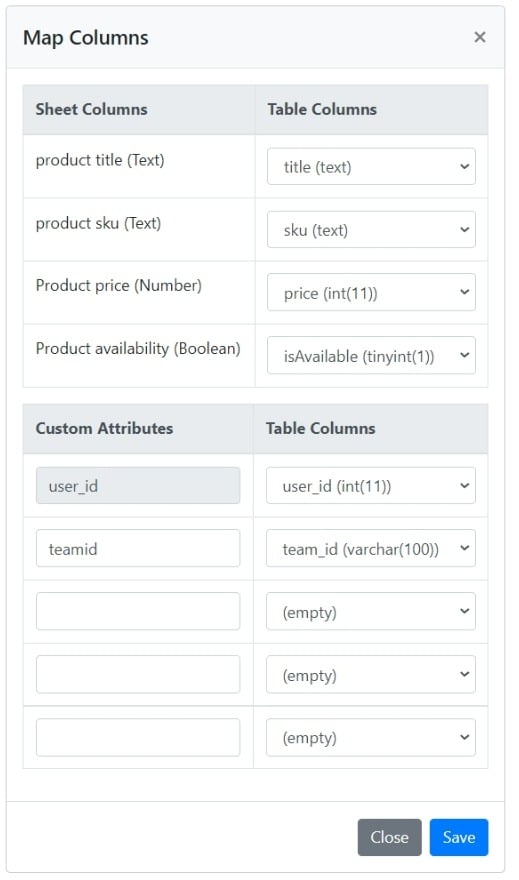
Boolean columns that use Display as checkbox are pushed as
true or false, which PostgreSQL accepts for boolean columns.