

1
Select SQL Server as the destination
Select SQL Server Database as the destination type.
2
Connect your database
Connect your SQL Server database by providing the credentials.
3
Set the target table
Specify the table name where you want the data to be pushed.
4
Test the connection
Click Test Connection.
5
Map columns
If the connection is successful, click Map Columns and match the sheet template columns to the SQL Server table columns. You can also map custom attributes to table columns.
6
Choose the operation
Select one of the following 2 operations: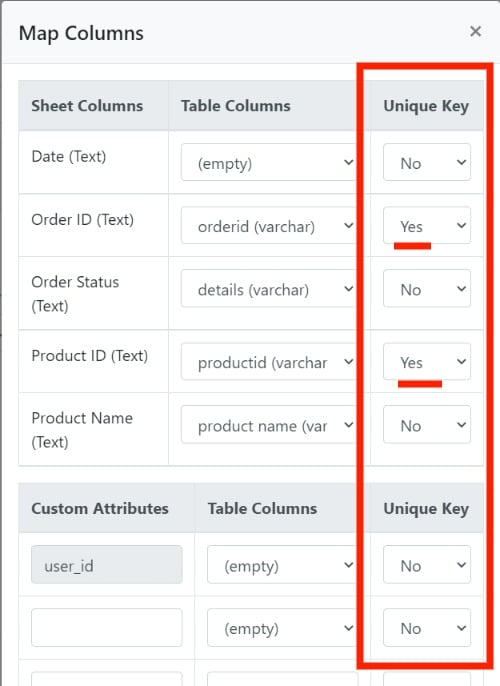
- Insert: the importer always pushes the incoming CSV data as new records in the database.
- Upsert: the importer checks whether the record exists in the database. If it exists, it’s updated with the incoming data from the CSV. If it doesn’t, a new record is inserted. The record check is based on the index keys specified in the mapping modal.
Boolean columns that use Display as checkbox are pushed as
true or false, which SQL Server accepts for boolean columns.