> For the complete documentation index, see [llms.txt](https://help.csvbox.io/llms.txt). Markdown versions of documentation pages are available by appending `.md` to page URLs; this page is available as [Markdown](https://help.csvbox.io/destinations/neon.md).

# Neon

## How it works

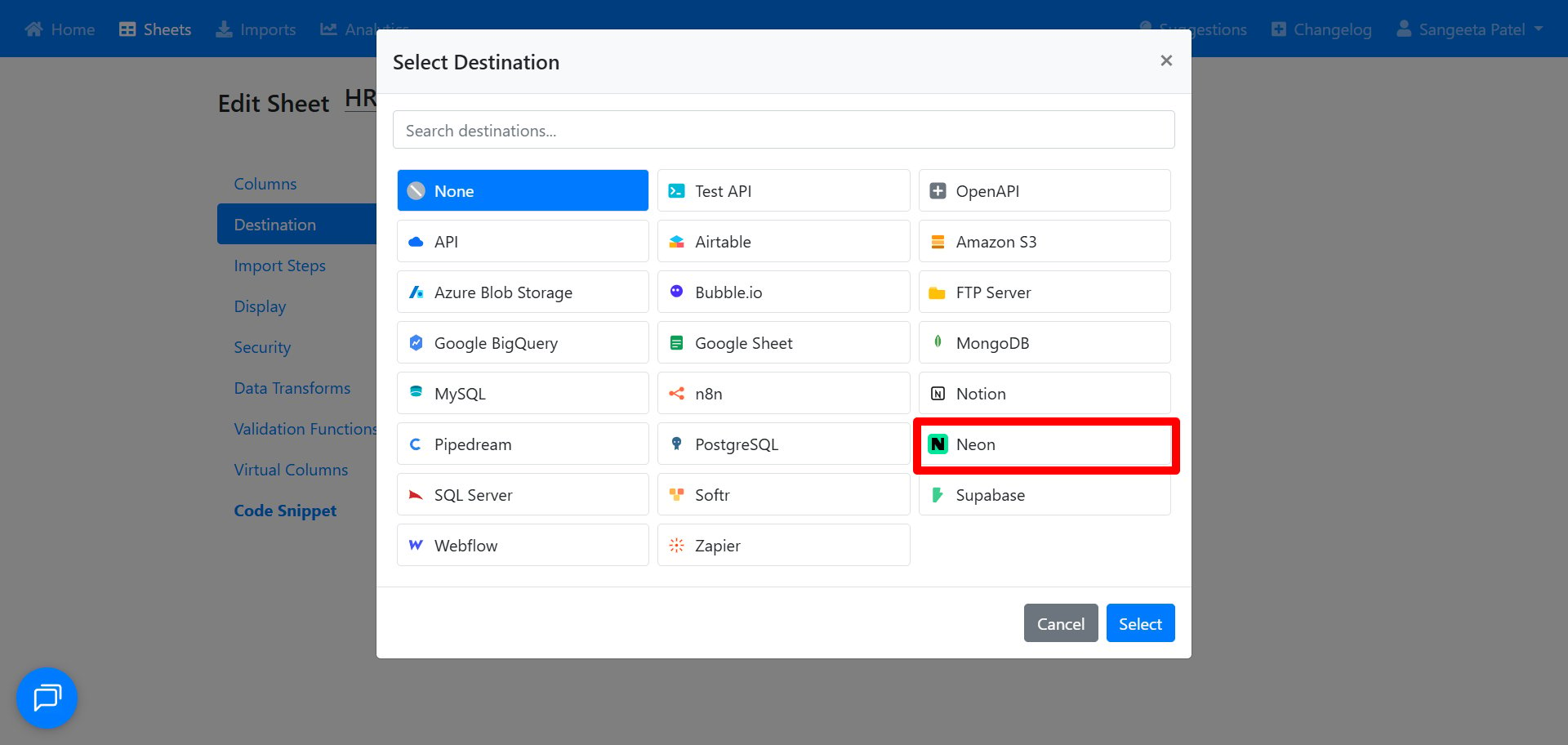
1. **Select the destination type as 'Neon'.** Open your sheet, go to **Destination**, and choose **Neon** from the list.<br>

   <figure><img src="/files/S9kZOLQfOQcYDMDRrCJb" alt=""><figcaption></figcaption></figure>
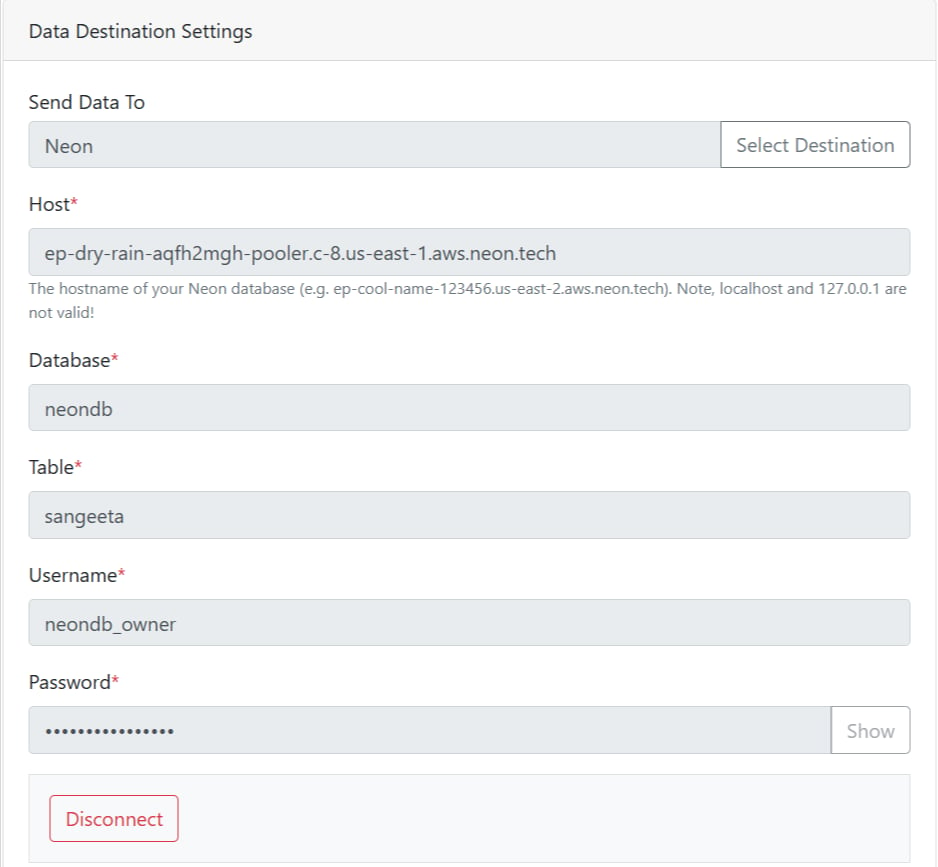
2. **Connect your Neon database.** Enter your Neon credentials (enter the host, database name, user, and password). You can copy this from your Neon project dashboard under **Connection Details**.\
   &#x20;

   <figure><img src="/files/K4mbsozRiBTNZg36wDVy" alt=""><figcaption></figcaption></figure>
3. **Specify the table name.** Enter the name of the table where you want the data to be pushed.
4. **Map sheet columns to table columns.** Match each column in your sheet to the matching column in your Neon table. You can also map custom attributes to table columns.
5. Once set up, your CSV data will be appended directly to the Neon table.<br>